Category: Frontend

10 things should be avoided as a javascript developer

As a JavaScript developer, it is important to keep in mind the best practices and avoid certain common pitfalls in order to write efficient and maintainable code. Here are ten things that you should avoid as a JavaScript developer

1. Overuse of global variables:

Using too many global variables can make it difficult to keep track of the state of your application and can lead to name collisions. Instead, try to use modules and closure to keep your variables within a well-defined scope

// Avoid this
let userName = "John Doe";
let userAge = 30;
let userAddress = "123 Main St.";

// Instead, use modules
const userModule = (() => {
let name = "John Doe";
let age = 30;
let address = "123 Main St.";

return {
getUser: () => ({ name, age, address })
};
})();

// Usage
console.log(userModule.getUser());

In this example, instead of having three global variables, they are all scoped within the userModule closure. This makes the state of the application easier to manage and reduces the risk of name collisions.

2. Blocking the UI thread:

JavaScript is single-threaded, which means that long-running tasks can freeze the user interface. To avoid this, try to use Web Workers or asynchronous functions to run intensive tasks in the background.

// Avoid this
for (let i = 0; i < 1000000000; i++) {
// Do something intensive
}

// Instead, use Web Workers
const worker = new Worker("./worker.js");
worker.postMessage({ data: "Hello, Worker!" });

3. Neglecting cross-browser compatibility:

Not all browsers implement the same features or behave in the same way. Be sure to test your code on multiple browsers and use feature detection or polyfills to ensure compatibility

// Avoid this
const result = new Map().values();

// Instead, use feature detection or polyfills
if (typeof Map.prototype.values === "function") {
const result = new Map().values();
} else {
// Implement polyfill
}

4. Writing complex code:

Simple code is often easier to read, understand, and maintain. Try to write small, focused functions that do one thing well, and use descriptive functions and variable names to make your code self-explanatory

// Avoid this
const complexFunction = (input) => {
let output = input;
for (let i = 0; i < input.length; i++) {
output = output.slice(0, i) + output.slice(i + 1);
}
return output;
};

// Instead, write simple code
const reverseString = (input) => input.split("").reverse().join("");

5. Not using strict mode:

Strict mode is a mode in JavaScript that makes it easier to write secure and reliable code. Enable strict mode by adding “use strict”; at the top of your script or function.

// Avoid this
function doSomething() {
// Not in strict mode
}

// Instead, use strict mode
function doSomething() {
"use strict";
// In strict mode
}

6. Ignoring performance considerations:

performance is important, especially on mobile devices and low-end hardware. Be mindful of the performance implications of your code, and use tools like the browser’s performance profiler to identify and optimize slow code.

// Avoid this
const slowFunction = (input) => {
let result = 0;
for (let i = 0; i < input.length; i++) {
result += input[i];
}
return result;
};

// Instead, consider performance
const fastFunction = (input) => input.reduce((a, b) => a + b, 0);

7. Not handling errors:

Failing to handle errors can lead to unexpected behavior and make it difficult to diagnose and fix problems. Use try-catch blocks and throw meaningful error messages to handle errors and make debugging easier.

// Avoid this
const unreliableFunction = (input) => {
return input.split("/");
};

// Instead, handle errors
const reliableFunction = (input) => {
try {
return input.split("/");
} catch (error) {
throw new Error(`Cannot split string: ${error.message}`);
}
};

8. Not keeping up with best practices and new features:

Not keeping up with best practices and new features: The JavaScript language and its ecosystem are constantly evolving. Stay up-to-date with the latest best practices and new features by reading blogs and following industry leaders.

// Avoid this
const oldWay = (input) => {
let result = 0;
for (let i = 0; i < input.length; i++) {
result += input[i];
}
return result;
};

// Instead, use new features
const newWay = (input) => input.reduce((a, b) => a + b, 0);

9. Overusing this keyword:

The value of this in JavaScript can be confusing, especially in complex code. Try to use arrow functions, bind, call, and apply to explicitly set the value of this, or use functional programming techniques to avoid it altogether.

// Avoid this
const user = {
name: "John Doe",
age: 30,
address: "123 Main St.",
getUserInfo: function() {
console.log(`Name: ${this.name}`);
console.log(`Age: ${this.age}`);
console.log(`Address: ${this.address}`);
}
};

// Instead, use destructuring
const user = {
name: "John Doe",
age: 30,
address: "123 Main St."
};

const getUserInfo = ({ name, age, address }) => {
console.log(`Name: ${name}`);
console.log(`Age: ${age}`);
console.log(`Address: ${address}`);
};

// Usage
getUserInfo(user);

10. Writing spaghetti code:

Spaghetti code is code that is hard to follow, understand, and maintain. Write clean and well-organized code, and use comments, indentation, and whitespace to make your code readable and understandable.

// Avoid this
function fetchData() {
let data = null;
makeApiCall().then(res => {
data = res;
if (data.status === 200) {
// do something with the data
} else {
// handle error
}
});
}

// Instead, use a clean and modular approach
async function fetchData() {
try {
const res = await makeApiCall();
if (res.status !== 200) {
throw new Error("Failed to fetch data");
}
// do something with the data
} catch (error) {
// handle error
}
}
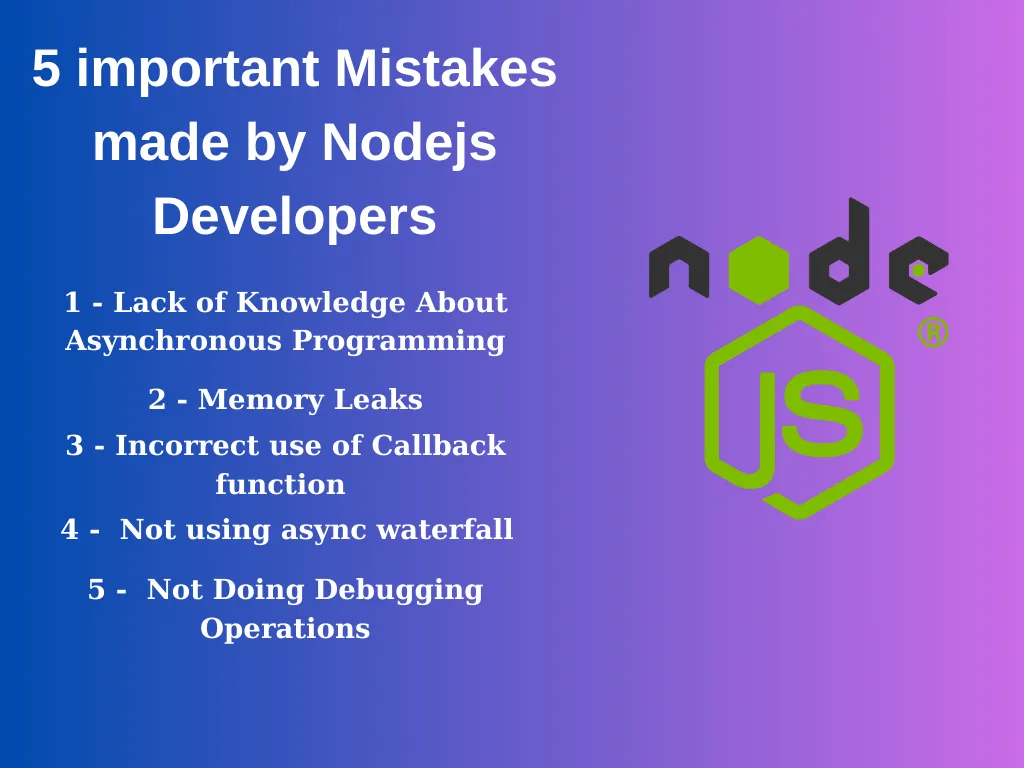
5 important Mistakes made by Nodejs Developers

  1. Lack of Knowledge About Asynchronous Programming : Developers who do not use asynchronous functions correctly can cause performance problems. Developers should be able to decide well what should work synchronously and asynchronously.
async function fetchData() {
try {
const response = await fetch('https://api.example.com/data');
const data = await response.json();
return data;
} catch (error) {
console.log('Error fetching data:', error);
}
}

fetchData().then((data) => {
console.log('Data fetched:', data);
}).catch((error) => {
console.log('Error:', error);
});

In this example, the fetchData function is defined with the async keyword, which allows us to use await to pause the execution of the function until the API request is completed. Once the data is retrieved, the await keyword is used again to extract the JSON data from the response.

The function returns the data, which is then logged to the console in the then block of a promise. If there is an error during the API request, the catch block will log the error to the console.

2. Memory Leaks : Node.js uses garbage collector to minimize memory leaks. However, developers’ code can have memory leaks, which can lead to performance issues.

The following example is we memory leak example:

function exampleData() {
const data = [];
// ...
data.push(newData);
// ...
return data;
}

setInterval(() => {
const result = exampleData();
console.log(result);
}, 1000);

This example causes the data array created by the exampleData function to be spooled in memory before being used in a function that repeats every second. This leads to a memory leak and negatively affects the performance of the program.

To fix this code, the created objects must be deleted from memory after use. Here is an updated version of the exampleData function from the previous example:

function exampleData() {
return new Promise((resolve, reject) => {
const data = [];
// ...
data.push(newData);
// ...
resolve(data);
});
}

setInterval(() => {
exampleData().then((result) => {
console.log(result);
}).catch((error) => {
console.log(error);
});
}, 1000);

The function now returns a Promise corresponding to the array, instead of returning an array.

The fetchData function is called on each call, the result is returned as a Promise object, and the result is automatically cleared by the garbage collector after it is used. This prevents memory leaks and improves the performance of the program.

3. Incorrect use of Callback function : The following example uses a callback function to read data from a file. However, if used incorrectly, this function can cause errors and become hard-to-read code:

const fs = require('fs');

function readDataFromFile(callback) {
const filePath = './data.txt';

fs.readFile(filePath, 'utf8', (err, data) => {
if (err) {
callback(err);
} else {
callback(null, data);
}
});
}

readDataFromFile((err, data) => {
if (err) {
console.error('Error:', err);
} else {
console.log('Data:', data);
}
});

In this example, the **readDataFromFile** function takes a **callback** function and reads data from a file via the **fs** module. However, this example is used incorrectly. The callback function is always called, even when an error occurs. This requires you to write more code to **catch** and handle errors.

Here is a corrected version of the above code:

const fs = require('fs');

function readDataFromFile(filePath, callback) {
fs.readFile(filePath, 'utf8', callback);
}

readDataFromFile('./data.txt', (err, data) => {
if (err) {
console.error('Error:', err);
} else {
console.log('Data:', data);
}
});

In this example, the readDataFromFile function is using it properly. The callback function is passed directly from fs.readFile and is handled on failure or when called successfully. This allows you to write less code and make the code more readable.

4. Not using async waterfall : Async waterfall is a function provided by “**async**“, a widely used asynchronous control flow library in Node.js. ****This function allows us to perform a series of actions sequentially, and after each action is completed it allows us to move on to the next action.

Using an async waterfall is especially useful when there are dependencies between processes. For example, there is a dependency between operations such as downloading a file, opening the file, and processing its contents, and we need to perform these operations sequentially.

Using the async waterfall allows us to perform operations sequentially and accurately and improves the readability of the code.

Here is an example:

const async = require('async');
const fs = require('fs');

async.waterfall([
function downloadFile(callback) {
// Download a file
// ...
callback(null, 'file.txt');
},
function processFile(filename, callback) {
// Read and process the file contents
fs.readFile(filename, 'utf8', (err, data) => {
if (err) {
callback(err);
return;
}
// Process the file contents
const processedData = data.toUpperCase();
callback(null, processedData);
});
},
function uploadFile(processedData, callback) {
// Upload the processed data to a server
// ...
callback(null, 'success');
}
], (err, result) => {
if (err) {
console.error('Error:', err);
return;
}
console.log('Result:', result);
});

In the example above, the async.waterfall function sequentially executes three operations, downloadFile, processFile, and uploadFile, which run depending on each other’s results.

The first process downloads a file and passes the filename to the second process. The second process reads and processes the contents of the file, then passes the result to the third process. The third operation uploads the processed data to the server and returns the result.

Each action depends on the result of the previous action and will only run after the previous action is complete. This allows us to perform operations sequentially and accurately.

5. Not Doing Debugging Operations: Below is an example of code written without error catching:

const fs = require('fs');

fs.readFile('myfile.txt', (data) => {
  console.log('File contents:', data);
});

console.log('Program ended');

In this example, if an error occurs, the program will simply crash and we won’t know what went wrong. Below is a more accurate example:

const fs = require('fs');

fs.readFile('myfile.txt', (err, data) => {
if (err) {
console.error('Error reading file:', err);
return;
}
console.log('File contents:', data);
});

console.log('Program ended');

© 2026 Different Blog

Theme by Anders NorenUp ↑